Reproducible Science
Building Robust { Reproducible, Portable, Scalable } Scientific Workflows
by Phelelani Mpangase
Sydney Brenner Institute for Molecular Bioscience | Biomedical Informatics and Translational Science
Faculty of Health Sciences
University of the Witwatersrand
https://phelelani.github.io/nf-intro/slides/reproducibility/
We are going to cover...
The Era of Big Data
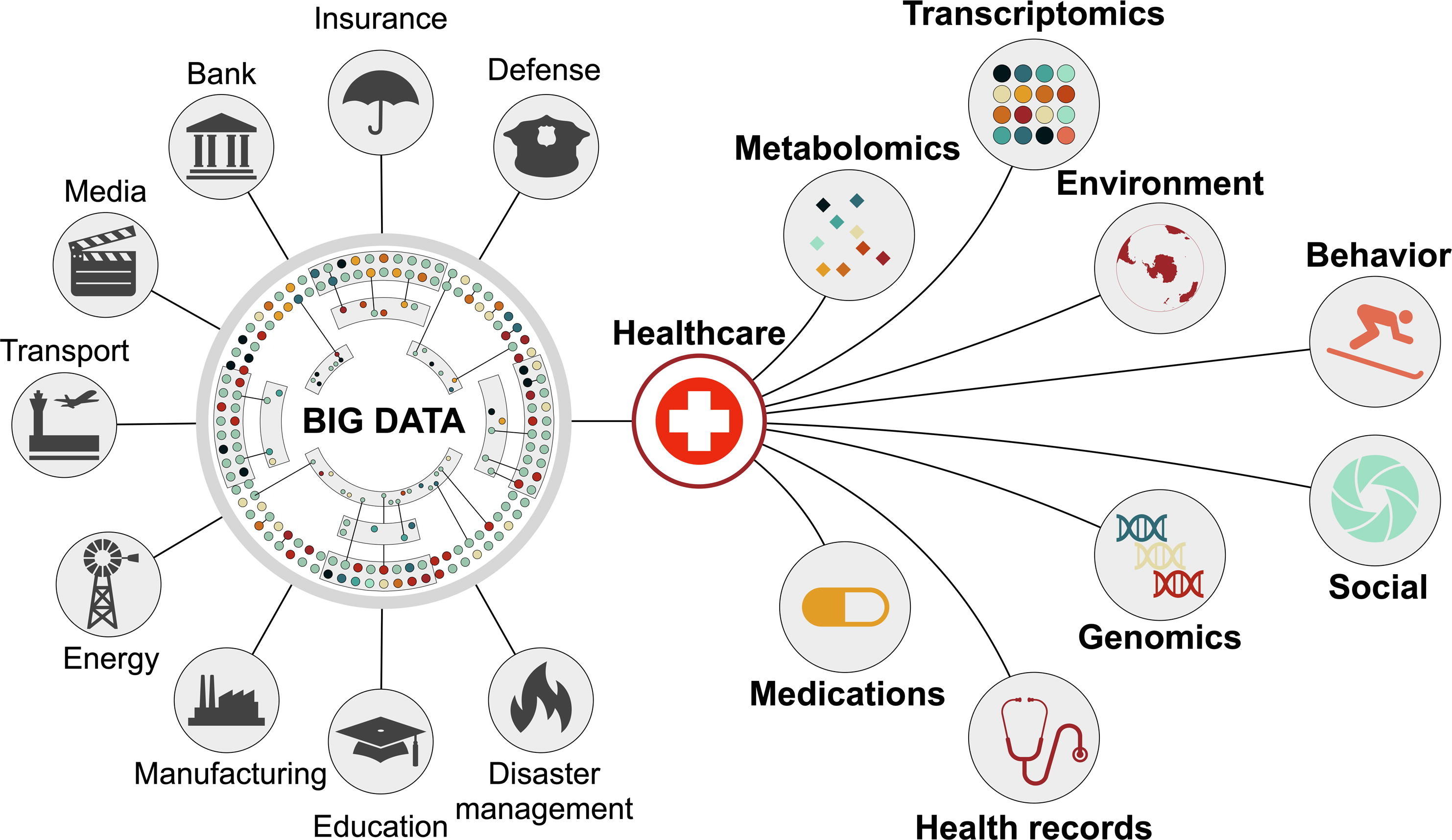
https://ars.els-cdn.com/content/image/1-s2.0-S2590262822000090-gr2_lrg.jpg
Key Aspects of Big Data...
 Velocity
 Volume
 Value
Value
 Variety
 Veracity
Large "Healthcare" Datasets
Central to Modern Science
○ Generation/storage exceeds capacity of traditional data processing systems
○ Various forms require various (new) approaches for handling and analysing
○ Growing need for advanced analytic techniques to extract meaningful insights
Large "Healthcare" Datasets
Central to Modern Science
 Researcher aka "Mr. 404"
 Must share analysis methods & reproduce results across different platforms
(reproducibility issue)
 Script uses multiple tools with complex installation steps & dependencies
(portability issue)
 Automating the scripts is not enough for large & complex datasets
(scalability issue)
The Pillars of Reproducible Science
Workflow Management
Use dedicated systems (e.g., Nextflow, WDL, Galaxy) to automate, connect, and manage multi-step analyses
Containerisation
Package software and dependencies into a single, isolated unit (e.g., Docker, Singularity/Apptainer)
Scaling & Sharing
Run workflows on HPC or Cloud environment - use Version Control (Git) to track and share code
Reproducibility Matters in Modern Science
 Credibility/trust in results
Reuse of analytical pipelines
Credibility/trust in results
Reuse of analytical pipelines
 Transparency and auditability

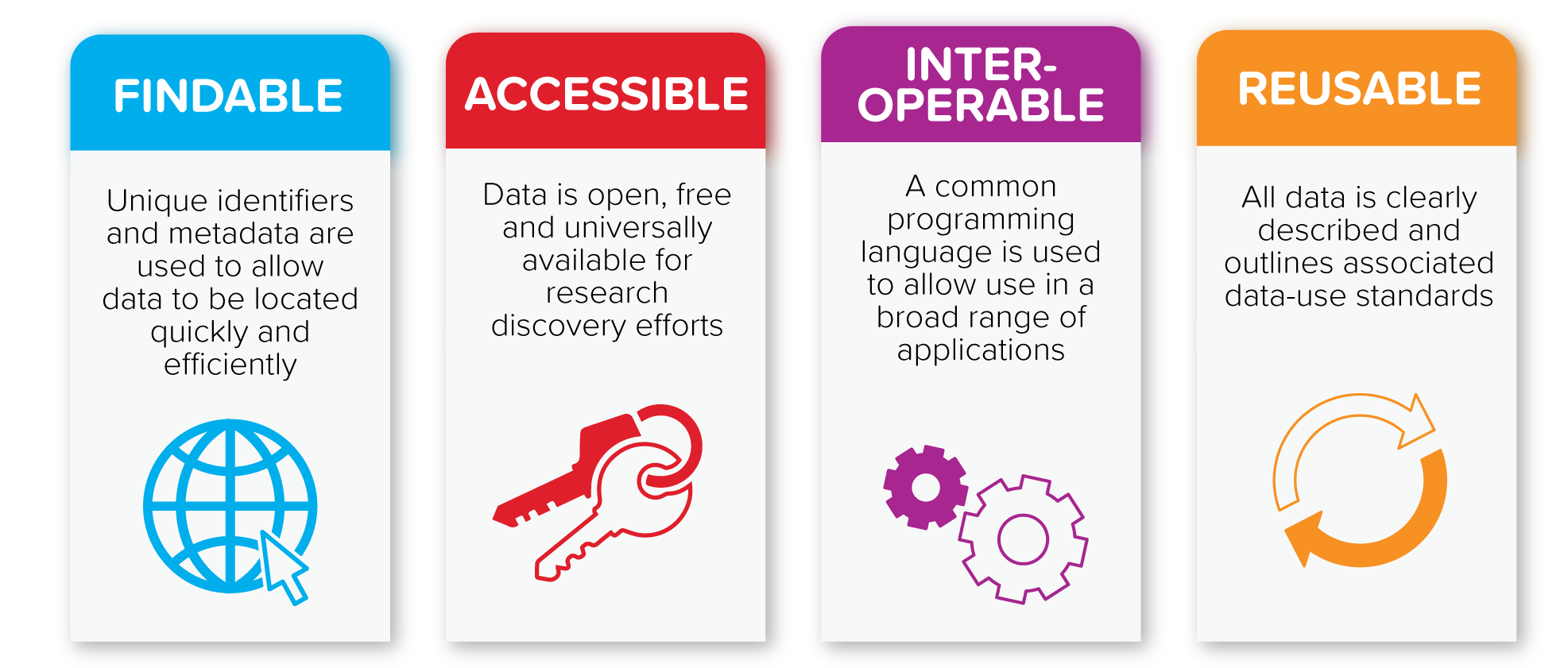
Workflow Management Systems/Engines
Workflow Management System/Engine
Must support the following to promote reproducible science:

Task definitions

Dependency management

Parallelisation

Portability

Environment management

Resource specification & scheduling

Error tolerance

Modularity & re-use

Input/output handling & file patterns

Logging & provenance

Tooling & ecosystem

Ease of authoring/language ergonomics

Debugging & observability

Security/compliance features

Standardization & interoperability
Able to define individual computational tasks
(commands, inputs, outputs, resources)
Automatic construction and execution of a directed acyclic graph (DAG) based on inputs/outputs or explicit dependencies
Able to discover and run tasks in parallel
(dataflow, rule-based, etc.)
Able to run the same workflow on different platforms
(local machine, HPC, cloud [AWS/GCP/Azure], Kubernetes, etc.)
Support container (Docker/Singularity), Conda, or package managers to ensure reproducibility
Support per-task CPU, memory, time, GPU and integration with schedulers/backends
Support checkpointing, caching, and resume/retry features
Support sub-workflows/modules, imports/includes, or reusable workflow components
Support wildcards, streaming, or channel/file globbing
Support execution logs, metadata, provenance tracking, and call-level reporting
Community pipelines, registries (e.g., nf-core), GUI/portal integrations, templates
How easy it is to write, read, and maintain workflows (syntax & language)?
Dry-run, DAG visualization, per-step logs, easy debug tools
Support for secrets, data locality, controlled backends (important for clinical use)
Support for standards (CWL, GA4GH, TRS, Task/Workflow APIs) or converters
 Groovy-based DSL
Nextflow runtime engine
 Declarative workflow language
Cromwell engine
 Python-based DSL
Snakemake engine
Containerisation
Virtual Machine vs Container
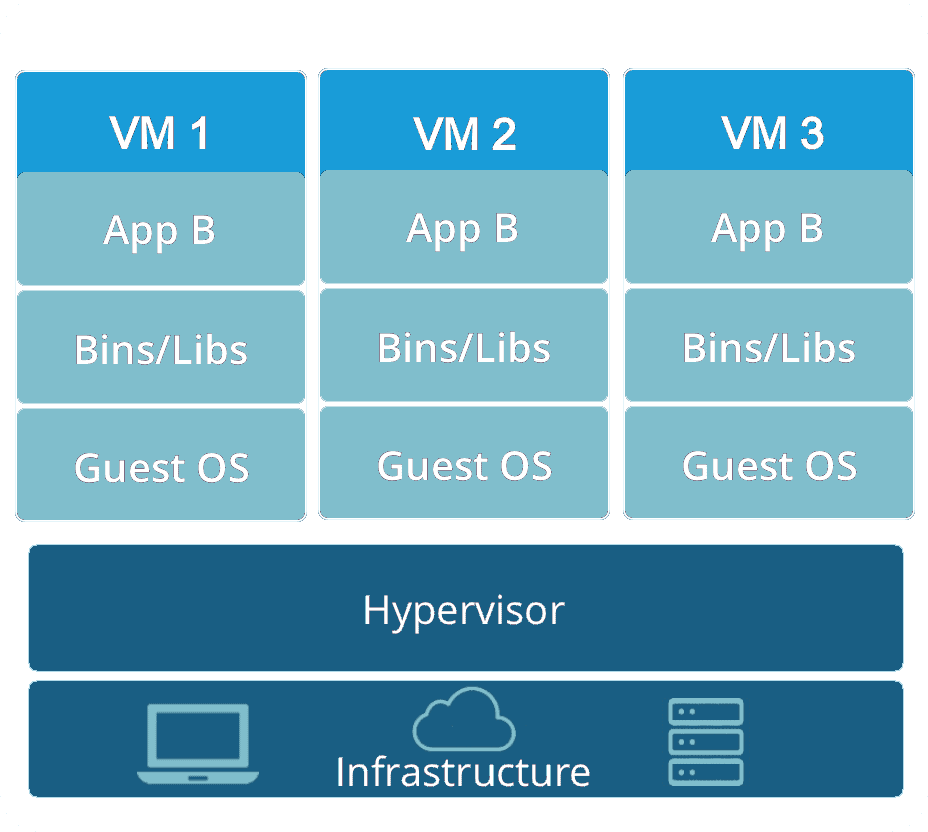
https://k21academy.com/wp-content/uploads/2020/11/Virtual_Machine_Architecture_result-1.webp

○ Emulate an entire Operating System
○ Heavy with high resource costs and large file sizes
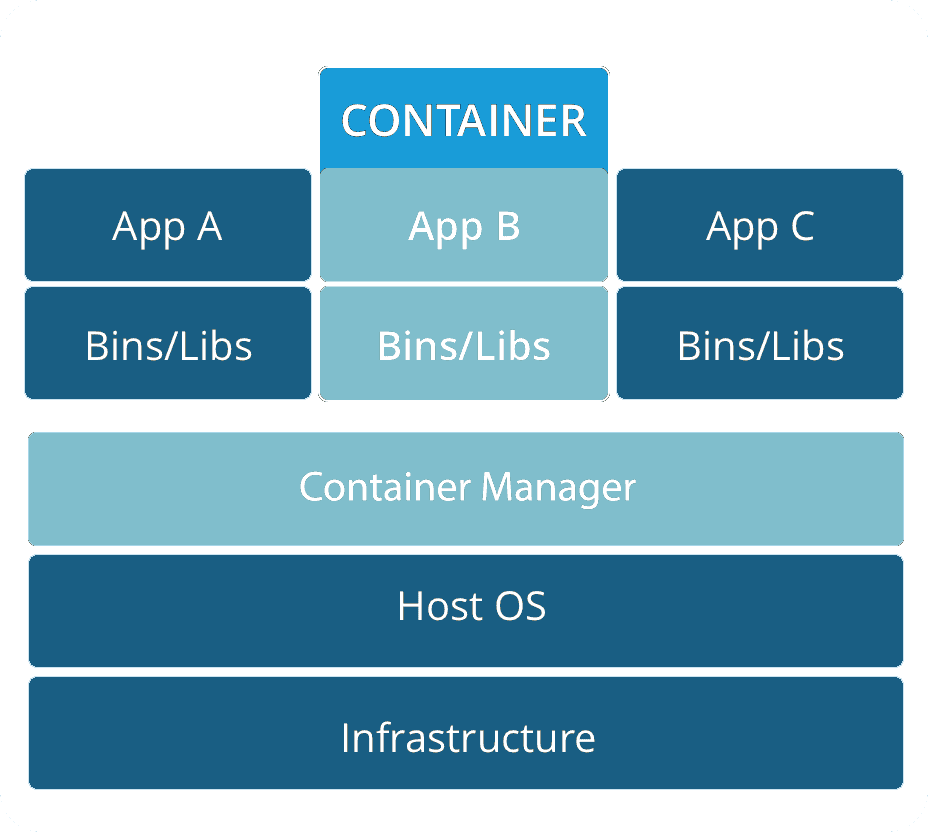
https://k21academy.com/wp-content/uploads/2020/11/output-onlinepngtools-16_result-1.webp

○ Share the host machine's kernel
○ Lightweight and fast - offer superior performance
○ Run only the necessary applications
Containerisation
Docker & Singularity/Apptainer
- Popular platform for building & sharing containers
- Linux-based software containers
- Containers built from a "Dockerfile"
- Application (+ dependencies) packaged into a unit
- Major drawbacks:
- Security risk on shared HPC environments
- Requires root privileges to run

- Designed specifically for scientific and HPC use
- Built on the concept of "Mobility of Compute"
- Key Features:
- Secure by design
- No root privileges required
- Runs with user's existing privileges
- Ideal for shared HPC environments
 Build with Docker
 Push to DockerHub
 Pull with Singularity/Apptainer
Scaling, Documentation & Sharing
Reproducible Science Depends on Workflows that:
 1. Scale consistently
 2. Fully version-controlled3. Shared with code & container
Workflow Scaling:
Ensures consistent results across different compute environments
- Scaling lets a workflow run identically on a laptop, HPC cluster, or cloud
- Containerisation (Docker/Singularity) and workflow engines:
- Ensure the same code & environment regardless of where or how big the system is
- Parallel execution and scheduler portability prevent human errors may arise
- Results are stable and repeatable across different hardware, scales, and institutions
Version Control:
Captures exact states of code, parameters, and environments
- Git records every change, enabling precise tracking:
- Scripts, configs, reference versions, and parameters
- Workflow engines often track versions of modules, containers, and dependencies
- You can reproduce exactly what happened by checking out a tagged version of the repository
- You can re-run any past version of a workflow and obtain consistent outputs
Sharing:
Ensures others can run the exact same workflow
- Sharing workflows through GitHub, nf-core, Dockstore, etc.
- Allows others to access your code and the environment specifications
- Standard workflow languages (Nextflow, WDL, Snakemake, CWL) make pipelines portable across systems
- Shared containers and config profiles ensure that collaborators run the same versions of tools
- Other researchers can replicate or extend your analysis with confidence
Putting It All Together...
Tools for Reproducible Scientific Workflows

Best Practices for Reproducible Scientific Workflows


Questions?